


Turbo Stars - Rival Racing
4.636.62K Reviews
App Specs
- Version
- 1.8.52
- Updated On
- License
- Free
- Downloads
- 100,000,000+
- Developer
- SayGames Ltd
- Categories
- Racing
- Platform
- Android, iOS
Screenshots
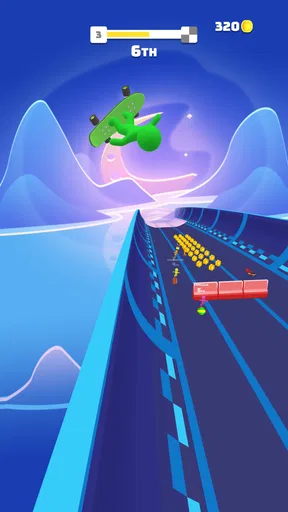
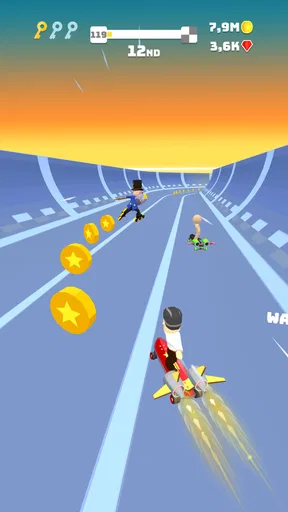
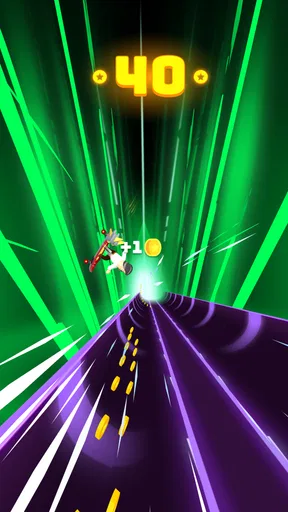
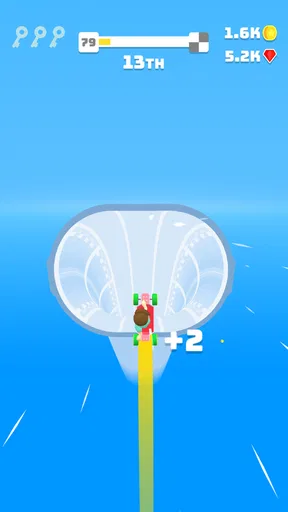
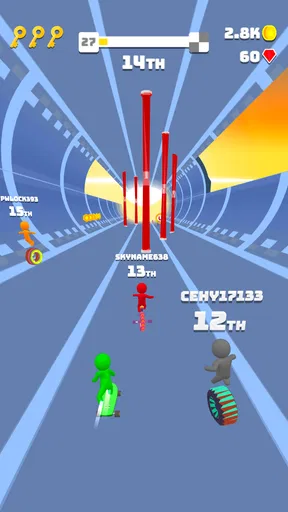
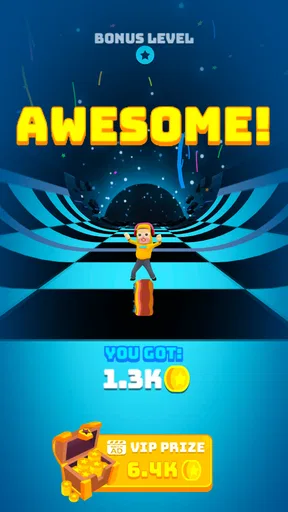
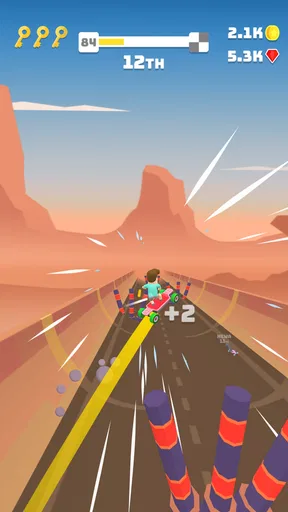
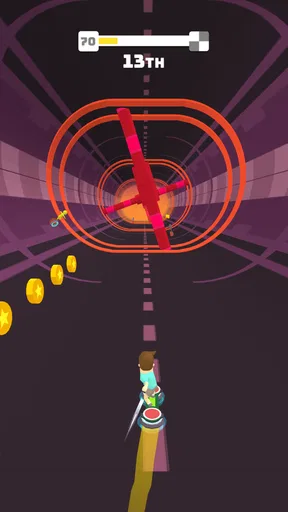
 Analysis by AppCompare
I often look for a racing game that’s easy to pick up for a few minutes but still gives me a reason to try another run. Turbo Stars - Rival Racing fits that quick-play mood, with swipe controls and races built around reacting to what’s ahead. It can work well when people at home take turns on one device, though it’s worth agreeing on whose turn it is before a close race becomes a household championship.
A quick shared-device race
Picture a short break at home: one person finishes a race, passes the phone or tablet to someone else, and the next player gets a fresh chance to beat that result. That’s the sort of low-commitment use I find most natural here. The controls are simple enough that a new player can understand the basic movement without a long tutorial, while track hazards give more experienced players something to concentrate on.
For shared use, I’d treat each run as a separate turn rather than assume the game is designed around multiple household profiles. Decide who is playing before opening it, and avoid handing over a device mid-race if someone is trying to improve a result. That small bit of coordination makes the game easier to enjoy together without turning progress or purchases into an argument.
Keep expectations clear on a shared device
I’d also set a simple boundary around spending before anyone starts tapping through menus. The game is free to download, and optional in-app purchases are listed at a few dollars per item. That makes it sensible to agree that purchases need the device owner’s permission, especially if children use the same phone. I wouldn’t assume that sharing a device means everyone shares the same preferences or spending rules.
There’s another practical boundary: a personal best, unlocked item, or other progress may matter more to one player than another. If several people use the same device, decide whose game session is being played rather than casually switching between players. I find that particularly useful when a child borrows a parent’s phone; it keeps the game enjoyable without treating one person’s progress as communal by default.
Who is likely to enjoy it?
I’d recommend it to people who like arcade-style racing and want direct control rather than a complicated driving setup. It suits short waits, relaxed breaks, and friendly turn-taking, especially for players who enjoy trying to improve their timing. The game is published by SayGames Ltd, and its broad, colorful presentation makes it approachable for a mixed-age household.
It’s less suited to someone looking for realistic vehicle handling, long-form career management, or a racing simulation that rewards careful tuning above quick reactions. If you prefer measured laps and precise braking, a conventional circuit racer will probably be a better fit. Here, the appeal is the immediate rhythm of steering, avoiding trouble, and seeing how the race unfolds.
Worth Reading Before You Choose

Flipboard Shows What News Apps Must Do Beyond the Feed

Switching to Android Auto Means Rethinking Your Driving Routine

Google Calendar Makes a Crowded Week Easier to Manage

Ludo King Makes the Most of the Minutes Between Plans

Baby Panda World Brings Quick Play to Modern Phones, but Its Game Library Feels Busy

ESPN’s Live Game View Makes Following Close Games Easier
Age, trust, and adult supervision
The game carries an Everyone age rating, which is a useful starting point for families considering it, but I still think adults should look over the experience themselves and set expectations about optional purchases. An age label doesn’t decide whether a particular child is ready to compete, handle losing, or use a shared device responsibly. A few supervised turns can tell you more than the label alone.
Its popularity is substantial: it has an average rating of 4.6 from around a million ratings, with roughly 37,000 written reviews and over 100 million installs. Those figures suggest many people have tried it, but they don’t guarantee that every household will enjoy the same parts of it. I’d use them as context, not as a substitute for checking whether its quick, competitive style suits the person playing.
Gameplay That Keeps You on the Edge
The moment you fire up Turbo Stars - Rival Racing, you’re immediately thrust into a world where speed is king. The controls are intuitive, making it super easy for anyone to jump right in, but don’t be fooled—mastering the tracks is a whole other story. You’ll find yourself swiping left and right, dodging obstacles, and collecting coins like a pro in no time.
What I love about the game is its simplicity blended with a gradual increase in challenge. Each track is different, with new surprises waiting around every corner. You know that feeling when you finally nail a tricky maneuver? Yeah, it’s that kind of satisfaction that keeps you coming back for more.
Customization and Personalization
One of the coolest features of Turbo Stars is the ability to customize your racer. From skins to boards, the game offers a plethora of options to tailor your ride to your liking. It’s not just about aesthetics either; some upgrades actually impact your performance on the track, so choose wisely!
For those of us who love to stand out, the game offers a ton of unlockable content. I mean, who doesn’t want to race down the track in a flashy outfit and a custom hoverboard? It’s details like these that add a personal touch to the game, making it uniquely yours.
Visuals and Soundtrack
Visually, Turbo Stars is a treat. The graphics are vibrant and colorful, perfectly capturing the fast-paced nature of the game. Each level has its own unique vibe, keeping things fresh and exciting. Whether you’re racing through a bustling cityscape or a serene countryside, the attention to detail is impressive.
And let’s not forget about the soundtrack. The tunes are upbeat and energizing, perfectly complementing the high-octane action on screen. I’ve caught myself tapping my feet more than once while darting through the levels. The combination of visuals and music creates an immersive experience that pulls you into the game world.
In-Game Economy
Now, let's talk about the in-game economy. As you race through the tracks, you’ll collect coins and other rewards that can be used to unlock new items and upgrades. The game strikes a nice balance here. While you can make purchases, it doesn’t feel necessary to progress. You can enjoy the game just fine without spending a dime, which is a huge plus in my book.
For those who do choose to invest a little cash, the options are there, but it feels more like an enhancement rather than a necessity. It’s all about choice, and I appreciate a game that respects that.
Multiplayer Mayhem
If you’re the competitive type, the multiplayer mode is where you’ll really get your kicks. Racing against players from around the world adds a whole new layer of fun and challenge. The matchmaking system is pretty solid, pairing you up with racers of a similar skill level, ensuring that every race is a close call.
Winning against real opponents gives you bragging rights and some sweet rewards, adding to the overall thrill of the chase. It’s this competitive edge that keeps the adrenaline pumping and the races exciting.
Where it fits among racing games
Compared with the usual racing options, this one sits closer to an arcade runner than a simulation. You’re making fast steering decisions and responding to obstacles, rather than managing a detailed car setup or learning a realistic track in depth. That distinction matters: if you want a quick burst of action, the lightweight approach is a strength; if you want careful lap strategy, it may feel too forgiving or simplified.
One useful way to approach a tricky stretch is to focus on the next obstacle rather than overcorrecting across the whole track. Because steering is based on swiping, broad, hurried movements can make it harder to line up with coins or avoid hazards. I get more consistent runs when I make smaller adjustments and treat coin collection as secondary whenever the safe route is clearer.
Customization also gives you a reason to think about what you want from a session. If you’re mainly playing to unlock looks, collecting rewards can be part of the fun; if a performance upgrade is available, consider whether it helps with the kind of sections that give you trouble. I wouldn’t spend just because an item is offered. Try a few races first and decide whether the change matters to your own play style.
Practical details before you install
The game is free, with optional purchases priced at a few dollars per item. It first arrived in 2019, and the current version is 1.8.52. On Apple devices, the minimum listed operating system is iOS 8.0. If you’re installing it on an older device, check that it meets the requirement and has enough available space for the app and its updates.
For a shared-device household, a good routine is to let the device owner handle installation and purchase decisions, then give each player a clear turn. That answers a common practical question: yes, its straightforward controls make it approachable for casual players, but it’s still better to have an adult decide how in-app spending is handled. If a player dislikes competition or gets frustrated by repeated attempts, keep sessions short and switch to a calmer game rather than pushing through.
Another question is whether this is the right choice for a quick everyday break. In my view, yes, when you want a race that asks for attention without requiring a long session or a deep commitment to simulation. It is not my pick for someone who wants a shared family campaign with carefully separated profiles, or for a player who needs realistic driving physics. Those expectations call for a different kind of racer.
As a game from the racing category, it’s an easy recommendation for casual players who enjoy quick reactions, collecting rewards, and trying to beat an opponent. The mix of visual customization and competitive play gives it more to return to than a one-note time killer, though the same competitive loop won’t appeal to everyone. Its Everyone rating and huge audience make it familiar territory, but each family should still decide whether the play style and optional purchases are a good fit.
In conclusion, Turbo Stars - Rival Racing delivers a fast-paced, engaging experience that’s hard to put down. With its simple yet challenging gameplay, wide range of customization options, and vibrant visuals, it’s a must-try for any racing game fan. Whether you’re looking to kill some time or dive into serious competition, this app has got you covered. So what are you waiting for? Hit that download link and start your engines!
Pros
- Intuitive controls for easy gameplay.
- Vibrant graphics enhance the racing experience.
- Regular updates with new challenges.
- Smooth performance on most devices.
- Variety of customization options for vehicles.
Cons
- In-app purchases can be pricey.
- Occasional ads interrupt gameplay.
- Limited offline functionality.
- Some levels feel repetitive.
- Requires internet for leaderboard access.
FAQs for Turbo Stars - Rival Racing
What is the main objective of Turbo Stars - Rival Racing?
Turbo Stars - Rival Racing is an exhilarating racing game where players navigate through various tracks, collecting coins, and performing stunts to gain speed boosts. The main objective is to outrun competitors and finish first in thrilling races. The game combines elements of strategy and skill, requiring players to choose the best paths and make split-second decisions.
Are there in-app purchases in Turbo Stars - Rival Racing?
Yes, Turbo Stars - Rival Racing offers in-app purchases. Players can buy coins and gems, which can be used to unlock new characters, vehicles, and upgrades. While the game can be enjoyed without spending money, these purchases can enhance the gaming experience by providing faster access to premium content and power-ups.
How does the multiplayer mode work in Turbo Stars - Rival Racing?
Turbo Stars - Rival Racing features an engaging multiplayer mode where players can compete against friends or other online racers. By connecting through the game's platform, users can challenge each other in real-time races. This mode adds a competitive edge to the game, allowing players to test their skills against others worldwide.
What are the graphics and sound quality like in Turbo Stars - Rival Racing?
Turbo Stars - Rival Racing boasts vibrant, colorful graphics that create an immersive racing environment. The game’s smooth animations and detailed tracks enhance the visual appeal. Coupled with dynamic sound effects and an energetic soundtrack, the game provides an engaging sensory experience that complements the fast-paced action of the races.
Is Turbo Stars - Rival Racing suitable for children?
Turbo Stars - Rival Racing is suitable for older children and teens, with its content being primarily focused on racing and competitive gameplay. While there is no explicit content, the game’s competitive nature and potential for in-app purchases mean parents might want to supervise younger children. The game is designed to be fun and engaging for a wide audience.


